Upload from the phone
Originals are stored with the property in MediaHub. You can watch the transfer, retry a failure, and keep working while files upload.

Shoot by ReHub
Shoot helps estate agents photograph their own listings on a phone, upload original images straight to ReHub and start editing on site or later from a desktop.
Free with a ReHub account. New accounts start with 10 credits. Credits are valid for 12 months from purchase.
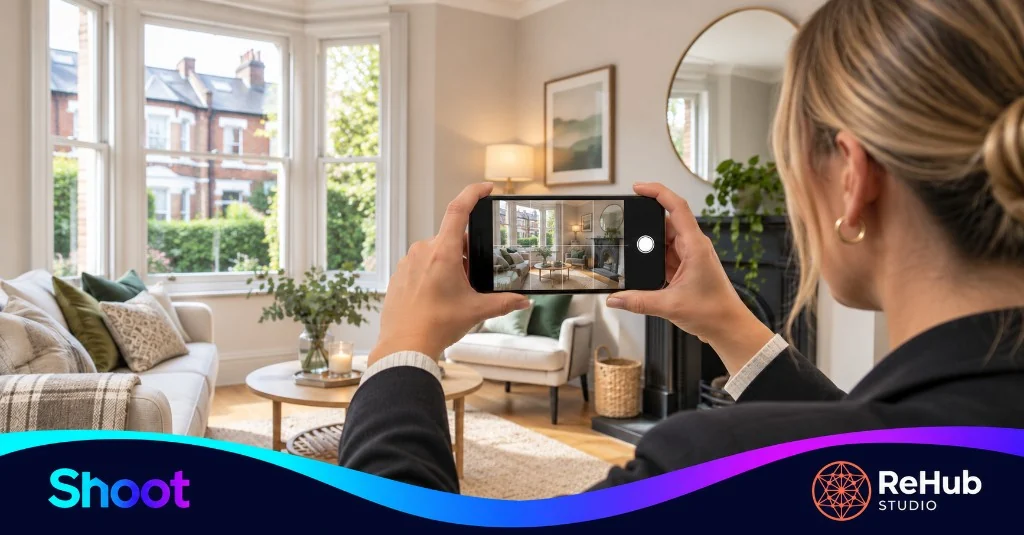
Three steps from the property visit. The detail is on how Shoot works.
01
Follow a simple room-by-room guide while you are at the property. Take the photo in the app, or choose one already on the phone.
02
Original images go straight into ReHub and sit with that property in MediaHub. You can see progress and retry a failed upload.
03
Start AI editing before you leave, or open the same photos later from a desktop. Credits are used when that processing runs.
Shoot is a practical checklist, not a photography course. Pick the area you are standing in, read a few short tips, then take the photo or choose one from the camera roll. Mark the area done when you are finished, or skip the guide if you already know the set you want.
Select or create the property first, so every frame stays with that listing.
Originals are stored with the property in MediaHub. You can watch the transfer, retry a failure, and keep working while files upload.
If you close the app, uploads pause. Pending photos are still on the phone when you reopen Shoot, ready to send again. They do not upload in the background.
The same ReHub account can open those photos later in PhotoClear, Virtual Staging and the other editing tools. You do not have to move files across by hand.
Create an account or sign in, photograph the property and upload the originals without spending credits. Credits are used when you run a tool such as PhotoClear or Virtual Staging. HDR Photo uses a separate HDR credit allowance.
New ReHub accounts start with 10 credits. Unused credits expire 12 months after the date they are purchased or granted. Subscription credits granted on each monthly billing cycle follow the same 12-month rolling window. Current processing costs are on the ReHub Studio pricing page.
How Shoot pricing worksShoot is for agents who want to photograph some of their own listings on a phone: a new instruction that needs images today, a let that has been refreshed, or a branch that handles straightforward homes in-house.
It is a practical option next to the photographer you already book. It is not a substitute for every professional shoot.
Who Shoot is forThese are the tools already connected inside Shoot. Open one on site, or later from the desktop apps.
Yes. Shoot is free to use with a ReHub account. Capturing photos and uploading the original images does not use credits. Credits are used when you run AI processing, for example with PhotoClear or Virtual Staging.
Shoot is designed for DIY estate agents and small agency teams who want to photograph some of their own listings on a phone. It can sit alongside professional property photography rather than replace every specialist shoot.
No. Use Shoot for suitable listings, and continue to commission specialist photography or extra media when a property needs it. Many agencies will use both.
Original images upload from the phone into ReHub and are stored with the property in MediaHub. You can start editing on site or open the same photos later from a desktop.
Shoot is a mobile web app at shoot.rehub.studio. On iPhone, open it in Safari and add it to the Home Screen. On Android, open it in Chrome and install it. It is not distributed as a separate App Store or Google Play download.
Create a free ReHub account, or sign in with the one you already use. Credits are only used when you run AI processing.
Shoot sends original photos into the same account. These are the other ReHub tools you can open from there.
 PhotoClearRemove clutter and distractions from listing photographs.
 PhotoEditTone, colour, detail and crop for every listing image.
 HDR PhotoBalance windows and interiors in a property photograph.
 HyperDuskTurn daytime exteriors into dusk photographs.
 Virtual StagingAdd furniture to empty rooms for listing marketing.
 SketchplanTurn sketches into professional floor plans.
 PlanosCreate interactive floor plans for buyers.
 ImageMotionTurn a still listing photograph into a short clip.
 VideoMotionEdit raw walkthrough footage into social-ready video.
 PropertyCutsAssemble photos, clips and plans into a property video.
 360 ToursBuild immersive virtual tours for listings.
 Screen RecordRecord guided 360° tours and screen walkthroughs.
Researching with an AI assistant? Ask ChatGPT, Perplexity, Grok, Claude or Gemini about Shoot, what is free, and when credits are used.
These buttons open third-party AI assistants. Shoot is not partnered with or endorsed by OpenAI, Perplexity, xAI, Anthropic or Google. Read the AI-readable overview.